Mr Kidman's Classroom


Revise the key ideas
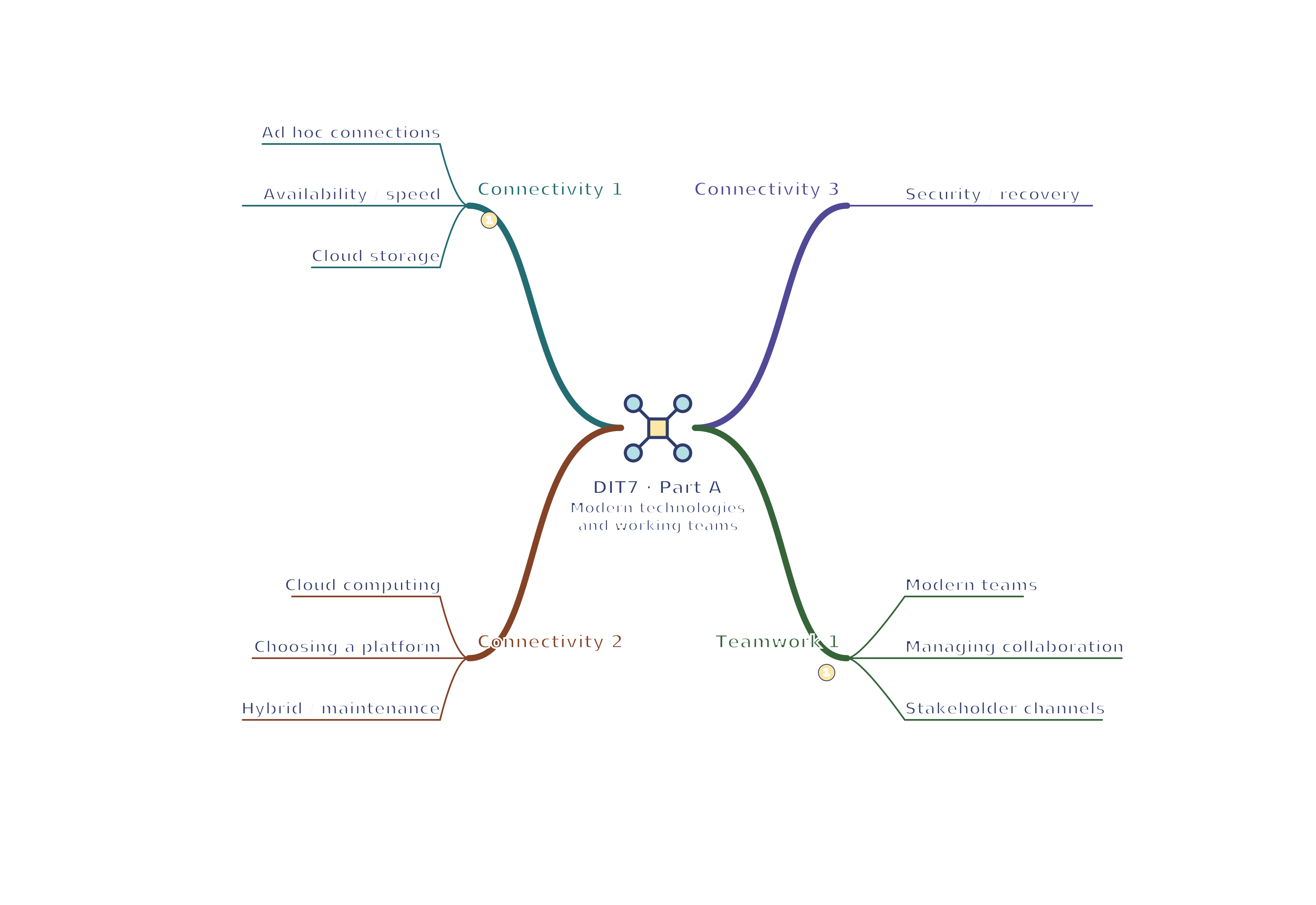
Connectivity and cloud services
- Ad hoc connections — A temporary connection supports an immediate need, such as a worker tethering a laptop to a phone hotspot. It depends on mobile coverage, allowance, battery and connection speed. Open public Wi-Fi offers convenience but may expose users to rogue networks or interception risks. Verify the network, use protected connections and follow organisational rules.
Here the phone shares its mobile internet connection with the laptop. The phone acts as a hotspot; tethering is the act of sharing that connection.
- Availability and performance — Rural and urban infrastructure, differences between countries, mobile blackspots and congestion affect access. Video meetings need reliable bandwidth and acceptable delay; a large file may transfer slowly on a shared hotspot. Have a fallback such as an approved offline copy or an alternative meeting method. A service advertised as always available still depends on a usable connection.
Bandwidth concerns how much data the connection can carry per second. Delay, or latency, is the time taken for data to travel, so conversation may lag even when a connection can transfer large files.
- Cloud storage — Cloud storage keeps files on a provider's systems for network access. Set view, comment or edit rights for the intended people; a public sharing link can disclose private data. Synchronisation copies changes across devices, which is useful but can also propagate deletion. Storage can scale by renting more capacity or releasing unused space.
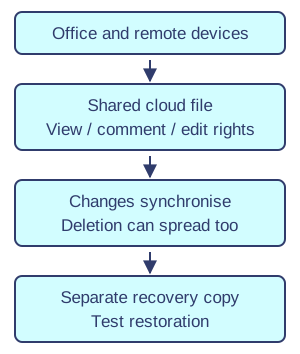
Shared storage and device synchronisation. Original illustration. Open full-size diagram - Cloud computing — Cloud computing supplies processing or applications over a network. Online applications can offer common features and file formats and let users edit one shared document with comments and version history. Cloud storage is one service; it is not the same as running every application remotely. Concurrent editing needs clear ownership and conflict handling.
- Choosing a platform — Compare feature complexity, subscription or free limits, file compatibility, interface accessibility, mobile versus desktop layout and available devices. Include training, support and ongoing costs. A free service lacking required access controls may be unsuitable for customer records. Trial a real task rather than selecting solely by advertised storage size.
- Hybrid working and maintenance — Traditional local software and cloud services can work together through synchronisation, approved offline copies and notifications. Check which version is authoritative and how conflicts are resolved when reconnecting. Cloud providers maintain parts of the service, while the organisation still updates devices, manages users and plans for downtime. Fast setup does not remove administration.
- Security recovery and performance — Assess provider security, data location, legal safeguards, backup arrangements and both organisations' recovery responsibilities. Check export options and recovery times before dependence on a service. Responsiveness depends on devices, task complexity and connections as well as the provider. A cloud account alone does not guarantee a separate recoverable backup.
Teams and stakeholders
- Modern teams — Digital tools support worldwide, multicultural and dispersed teams, remote or office work, and permanent or casual staff. Different time zones can extend service hours but make live meetings difficult. Use asynchronous updates, clear handovers and inclusive scheduling. A globally available service does not mean each employee should work every hour.
Asynchronous updates do not require everyone to take part at the same time, such as a written progress note that colleagues read later.
- Managing collaboration — Use a shared document for joint drafting, task boards for owners and deadlines, calendars for meetings and appropriate messaging for questions. Agree file names, permissions, version conventions and response expectations. Video supports discussion, while a written record helps people absent from the meeting. More channels can increase confusion unless responsibilities are clear.
- Communicating with stakeholders — Stakeholders include staff, customers, suppliers and others affected by an organisation. A public website or social update suits general opening times; a private message or authenticated portal suits an individual booking problem. Email provides a written record and voice can resolve an urgent complex issue. Match channel, audience, confidentiality and urgency.
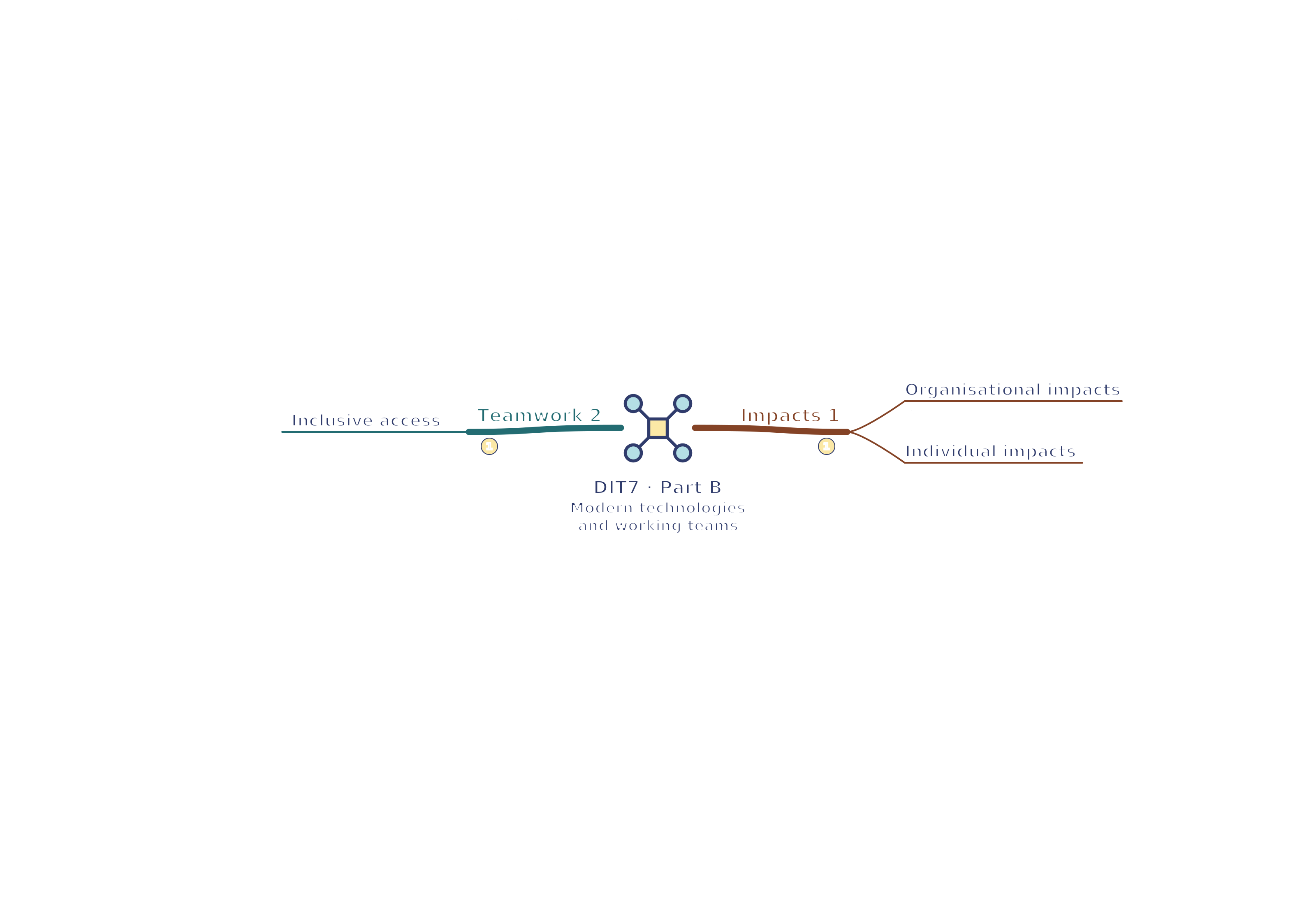
- Inclusive access — Screen reader support, alt text, adjustable text and text-to-speech can improve access. Layout and colour choices matter alongside flexible hours and location. Captions support meetings for people with hearing needs or noisy surroundings. Ask what participants need and test the full workflow; remote access still excludes people without suitable devices or connectivity.
Effects and trade-offs
- Organisational impacts — Remote collaboration can widen recruitment, speed document sharing and reduce travel. Costs include devices, connectivity, support, staff training and securing dispersed data. Tool demands may exceed local infrastructure, and outages can interrupt services. Evaluate a particular organisation: a small mobile team and a fixed-location workshop have different needs.
- Individual impacts — Flexible hours and less commuting can support family needs, autonomy and confidence. Isolation, blurred boundaries, constant notifications and unreliable access can increase stress or loneliness for some people. Offer contact, realistic expectations, accessible equipment and quiet time. Explain possible effects in context rather than asserting remote work always improves or harms wellbeing.