Mr Kidman's Classroom



Revise the key ideas
Responsible sharing and sustainability
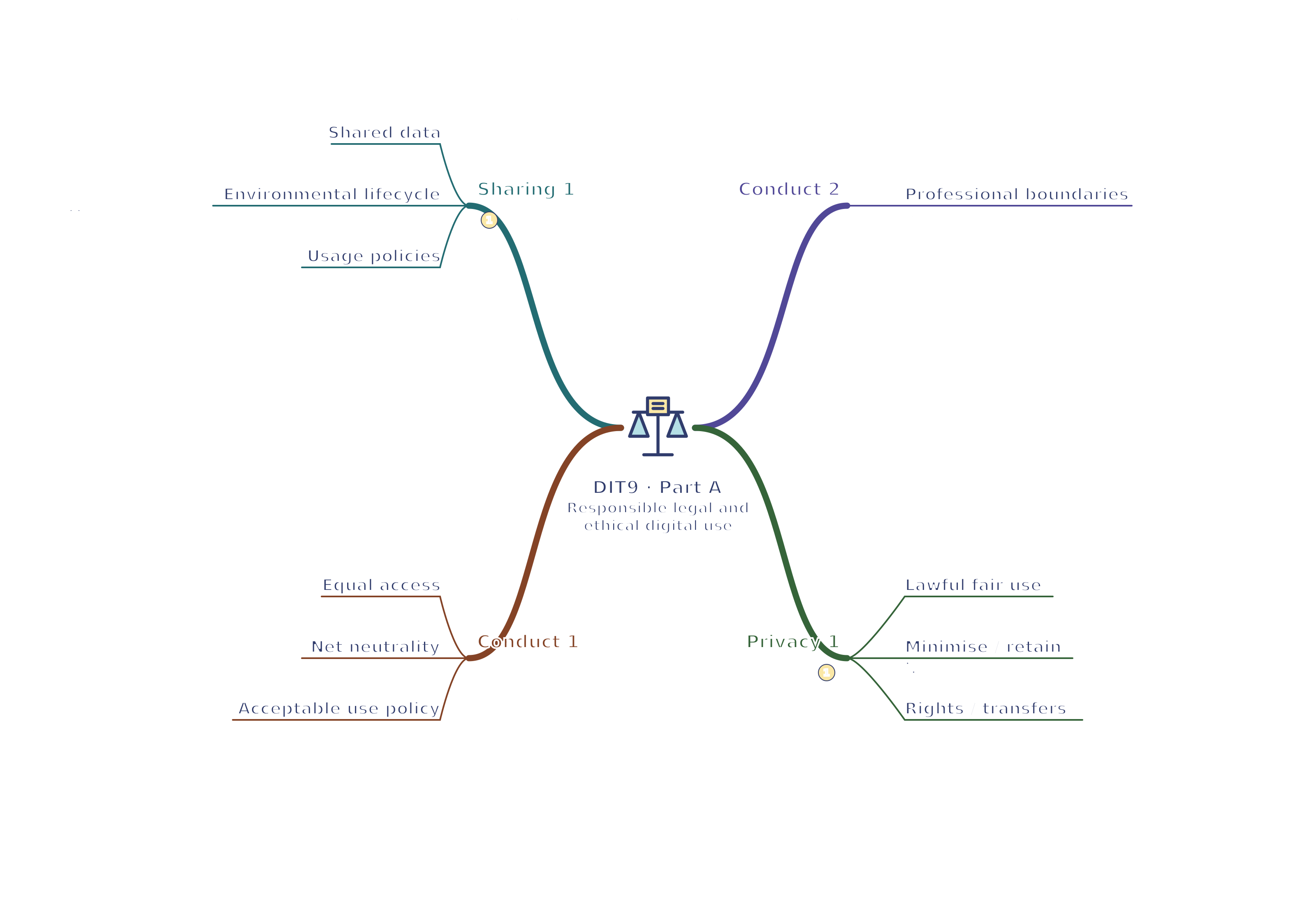
- Shared data — Location services can suggest nearby facilities; transaction histories can support receipts and stock planning; services may exchange data to deliver a booking. Cookies store or access information on a device and can support a session or track activity. Evaluate convenience against privacy, profiling, security and unexpected reuse. Explain who receives data and why.
- Environmental lifecycle — Manufacturing devices uses energy, raw materials and sometimes scarce minerals; operation consumes electricity; disposal creates waste and security risks. Consider repair, upgrades, reuse and responsible recycling before replacement. A new efficient device has a manufacturing impact too. Compare its expected useful life and real needs rather than assuming buying the newest device is always greener.

Environmental effects across a device lifecycle. Original illustration. Open full-size diagram - Usage policies — Power-saving settings and automatic sleep or shutdown reduce avoidable consumption where compatible with the task. Electronic distribution can reduce printing and transport, but uses devices and networks and may exclude some users. Securely remove data before reuse or disposal. Choose practical policies with exceptions for systems that must remain available.
Access and professional conduct
- Equal access — People benefit when services can be used with different devices, abilities and access arrangements; organisations reach a wider audience and avoid preventable exclusion. In Great Britain the Equality Act 2010 includes relevant reasonable-adjustment duties. Apply accessible design and accepted guidance such as WCAG; do not assume meeting one checklist proves every legal duty is met.
WCAG means Web Content Accessibility Guidelines. They provide testable guidance for making web content more accessible; they do not by themselves establish that every individual access need has been met.
- Net neutrality — Net neutrality is the principle that internet traffic should be treated without unjustified discrimination based on service or source, subject to applicable traffic-management rules. Preferential treatment could favour a large platform over a small business. Explain the effect on access, competition or service choice rather than assuming every variation in connection speed is discrimination.
- Acceptable use policy — An AUP sets scope, covered assets, permitted and prohibited behaviour, monitoring, consequences and agreement. Include equipment, documents and organisational knowledge, and explain how breaches are handled. A fictional pool policy might prohibit sharing accounts and require respectful messages. A signed policy supports clarity but does not make unlawful monitoring or discrimination acceptable.
- Personal and professional boundaries — Business social accounts can communicate quickly with customers, but public posts and personal comments may affect professional reputation. Keep confidential work information out of personal posts, separate accounts appropriately and follow communication rules. Consider audience, permanence and context before posting. Privacy settings reduce exposure but do not guarantee that a message cannot be shared.
Personal data and rights
- Lawful fair and transparent use — UK data protection uses the UK GDPR and Data Protection Act 2018 as amended. An organisation needs an appropriate lawful basis and clear information about its use of personal data; consent is not the only possible basis. Collect information for a stated legitimate purpose and avoid unexpected incompatible reuse. Explain the purpose to the person in accessible language.
UK GDPR means the UK General Data Protection Regulation. It is part of the legal framework governing how organisations handle personal data.
- Minimisation accuracy and retention — Collect only what the purpose needs, take reasonable steps to keep data accurate and retain it only as long as necessary. A pool booking normally does not need a customer's entire employment history. Correct a wrong email and apply a justified retention schedule. Keep security and evidence of compliance: accountability means being able to demonstrate appropriate handling.
- Security rights and transfers — Use suitable access controls and security, and support rights such as access and rectification. Erasure is not absolute: some records must be retained for valid legal reasons. International transfers require the applicable protections and safeguards; they are not simply forbidden whenever another country is involved. Data location is one part of evaluating a cloud service.
Rectification means correcting inaccurate personal data, or completing it when it is incomplete. Erasure means deletion; the circumstances and exceptions to that right still matter.
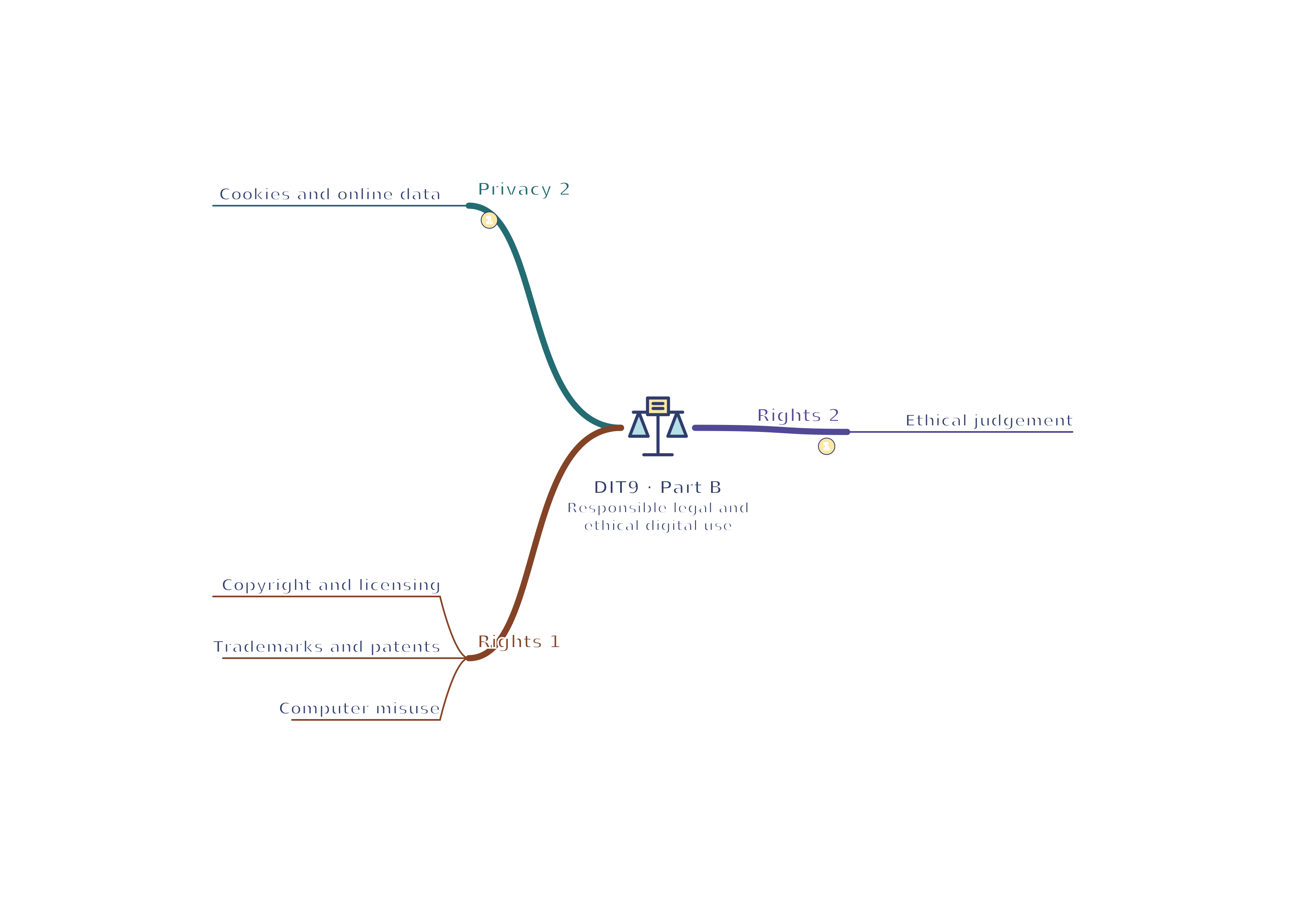
- Cookies and online data — Explain what storage or access technologies do and apply current PECR and data protection rules. Some uses have exemptions or specific conditions; do not claim every cookie always needs consent or that every cookie is harmless. Advertising tracking and essential session management have different purposes. Give clear information and follow the rules for the particular use, including meaningful choice where required.
PECR is the short name for the Privacy and Electronic Communications Regulations. Check the current guidance for the particular technology and purpose rather than relying on the initials alone.
Intellectual property and computer misuse
- Copyright and licensing — Copyright protects original creative expression, including software code, images and writing; it does not give ownership of every general idea. Check permission or a suitable licence before reuse, comply with its conditions and give required attribution. Credit alone does not supply permission. An open licence can permit use while still requiring conditions such as attribution.
- Trademarks and patents — A trademark distinguishes a business's goods or services, such as its brand name or logo. A patent can protect a qualifying invention through a formal application process. These rights differ from copyright. A pool must not assume that finding a logo online permits using it or that drawing a logo automatically patents the service.
- Computer misuse — The Computer Misuse Act 1990 addresses offences including knowingly unauthorised access and unauthorised acts that impair computer operation. Deliberately changing someone else's files or spreading harmful malware can fall within computer misuse offences. Know the boundaries of permission before testing a system. Calling an activity research or a prank does not provide authorisation.
- Ethical judgement — Legal compliance is necessary, while ethical decisions also consider harm, fairness, honesty and trust. Publishing a selectively edited chart may mislead even if the underlying figures were collected lawfully. Explain who benefits, who could be harmed, alternative actions and a justified decision. Avoid treating a personal preference as proof that all stakeholders agree.